
Make reporting straightforward
Capture the essential facts, location, related asset, immediate action and supporting photographs or PDFs.
Give your team one place to report hazards, near misses and incidents. Follow each case through triage, investigation, corrective action and effectiveness review, with maintenance work connected to the outcome.
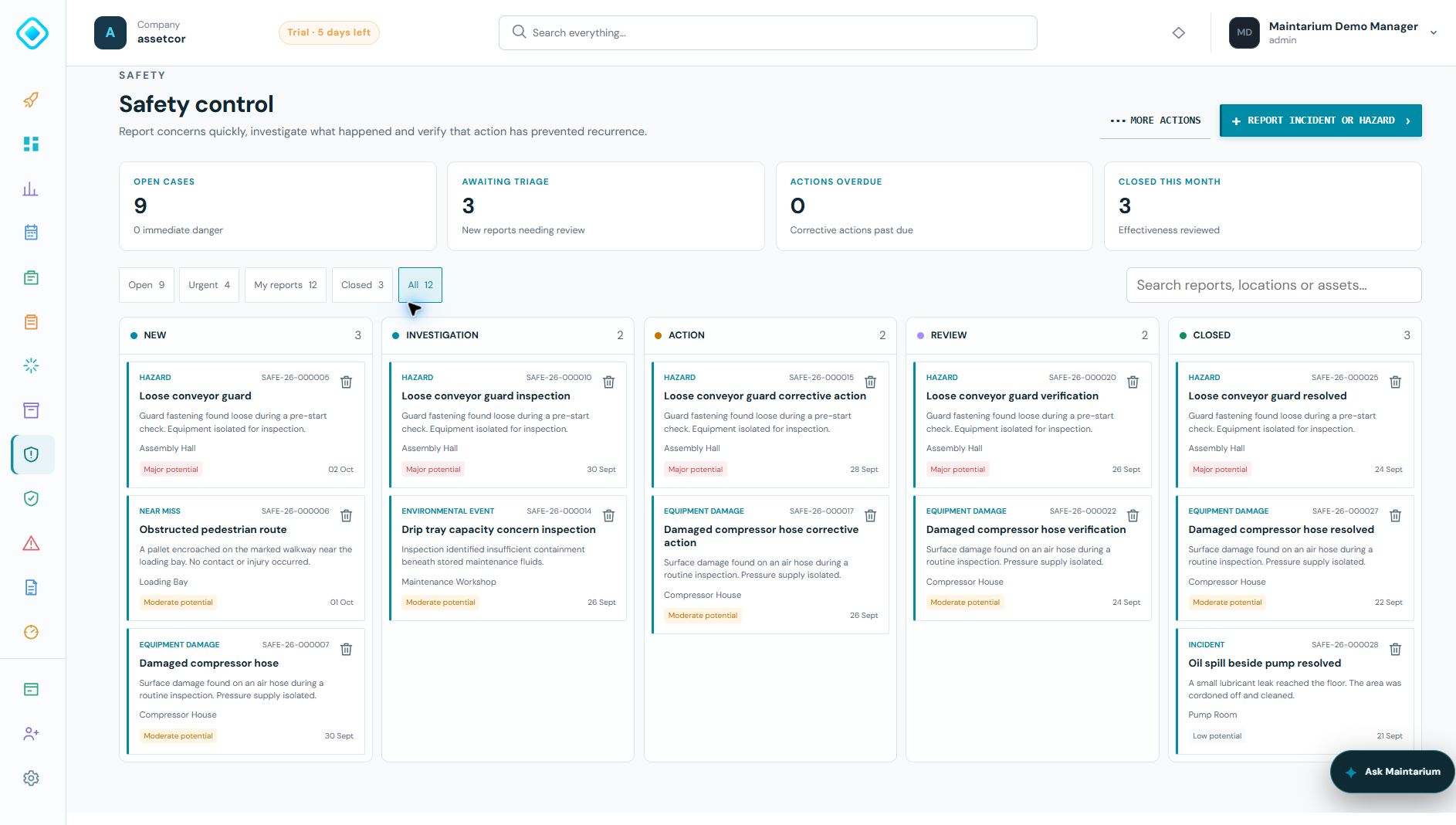
Keep responsibility, evidence and follow-up visible after the initial report. Managers can see which cases need attention and what must happen before they can close.
Capture the essential facts, location, related asset, immediate action and supporting photographs or PDFs.
Use a five-stage board to see new reports, investigations, action, review and closed cases together.
Create work orders from corrective actions. Linked work orders must be completed before a case moves to review.
Record how effectiveness was checked. Partly effective or ineffective results return the case to actions.
These real product screens use fictional demonstration cases to show the board, corrective action workspace and effectiveness review.
See open cases, reports awaiting triage, overdue actions and recent closures. Filter the board to focus on urgent cases, your reports or the complete picture.
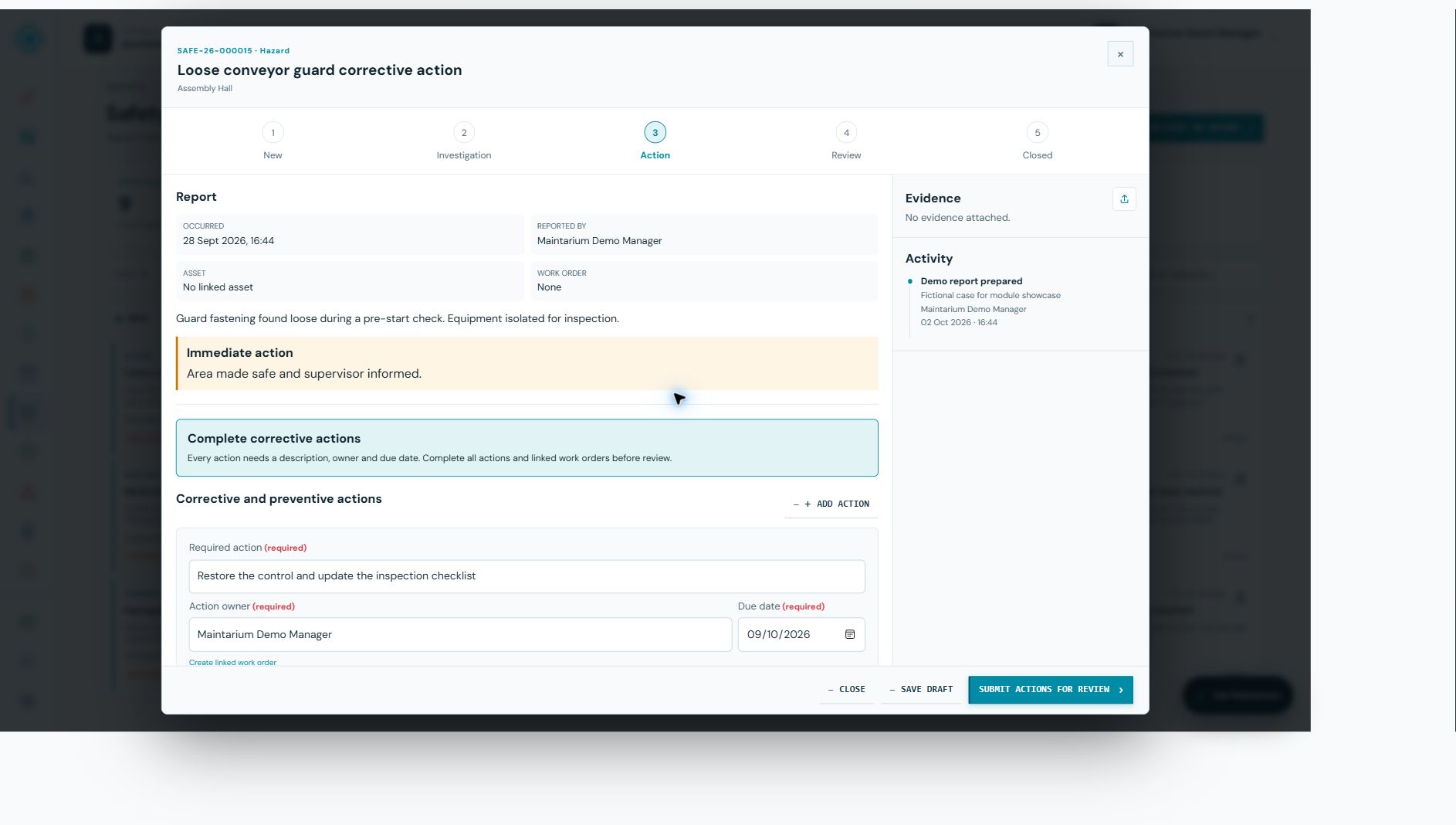
Record the work required, who owns it and when it is due. Create a linked work order when maintenance is needed; review waits until all linked work orders are completed.
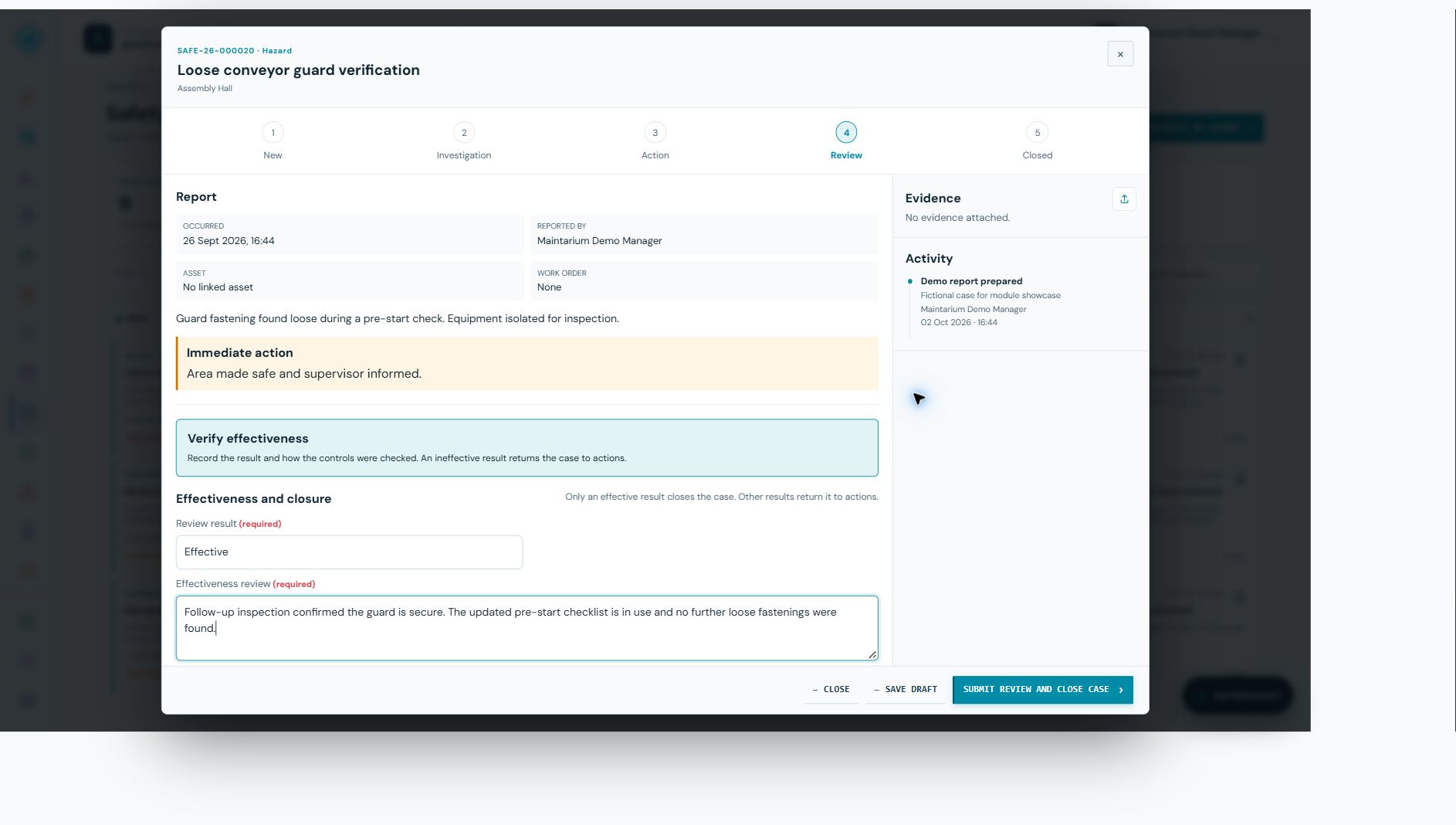
Record how the control was checked and whether it worked. An effective result can close the case; partly effective or ineffective controls return it for further action.
Each capability contributes to the same connected asset and compliance record.
Report hazards, near misses, incidents, injury or ill health, equipment damage and environmental events.
Assess actual and potential severity, recurrence likelihood, assign an investigator and confirm immediate danger is controlled.
Record findings, people and witnesses, statements, root causes and contributing factors.
Give each action a description, owner and due date, then track its completion.
Require completion of work orders linked to the report or its actions before submitting for effectiveness review.
Capture a review result and supporting explanation. Only an effective result closes the case.
Attach photographs or PDFs and keep the case activity available alongside the report.
Restrict confidential reports to the reporter and authorised safety managers.
Link reports to assets and retain safety context alongside the wider equipment record.
Download a PDF report for a closed case with its investigation, actions and review details.
Capture the facts, assess the risk, confirm immediate controls and assign the investigation.
Record findings, witnesses and causes so the response addresses the underlying problem.
Assign owners and due dates. Complete corrective actions and linked work orders.
Verify the control worked, record the outcome and close the case or return it to actions.
Yes. The reporting form supports hazards, near misses, incidents, injury or ill health, equipment damage and environmental events.
Yes. Managers can create linked work orders from corrective actions. All work orders linked to the report or its actions must be completed before the case progresses to review.
A partly effective or not effective review returns the case to the action stage for further work.
Yes. A confidential report is restricted to its reporter and authorised safety managers.
Yes. Closed cases have a downloadable PDF report containing the case details and recorded follow-up.
Start free with 20 assets, 1 manager and 5 operational users. No expiry and no card required.
Create your workspace