Reliable identity
Record codes, serial numbers, locations, departments and equipment classification.
Connect machines, components, instruments, documents, work orders and compliance activity so teams can understand an asset without searching several systems.
Maintarium shows identity and current condition first, then connects the detailed work, inspection, calibration and lifecycle records for the same equipment.
Record codes, serial numbers, locations, departments and equipment classification.
Link parent machines, components, instruments and reference standards without losing individual history.
See current condition, compliance status and outstanding action before opening detailed records.
Bring work orders, PM, calibration, inspections and changes into a chronological history.
Move from a searchable company register into a complete equipment profile and chronological history.
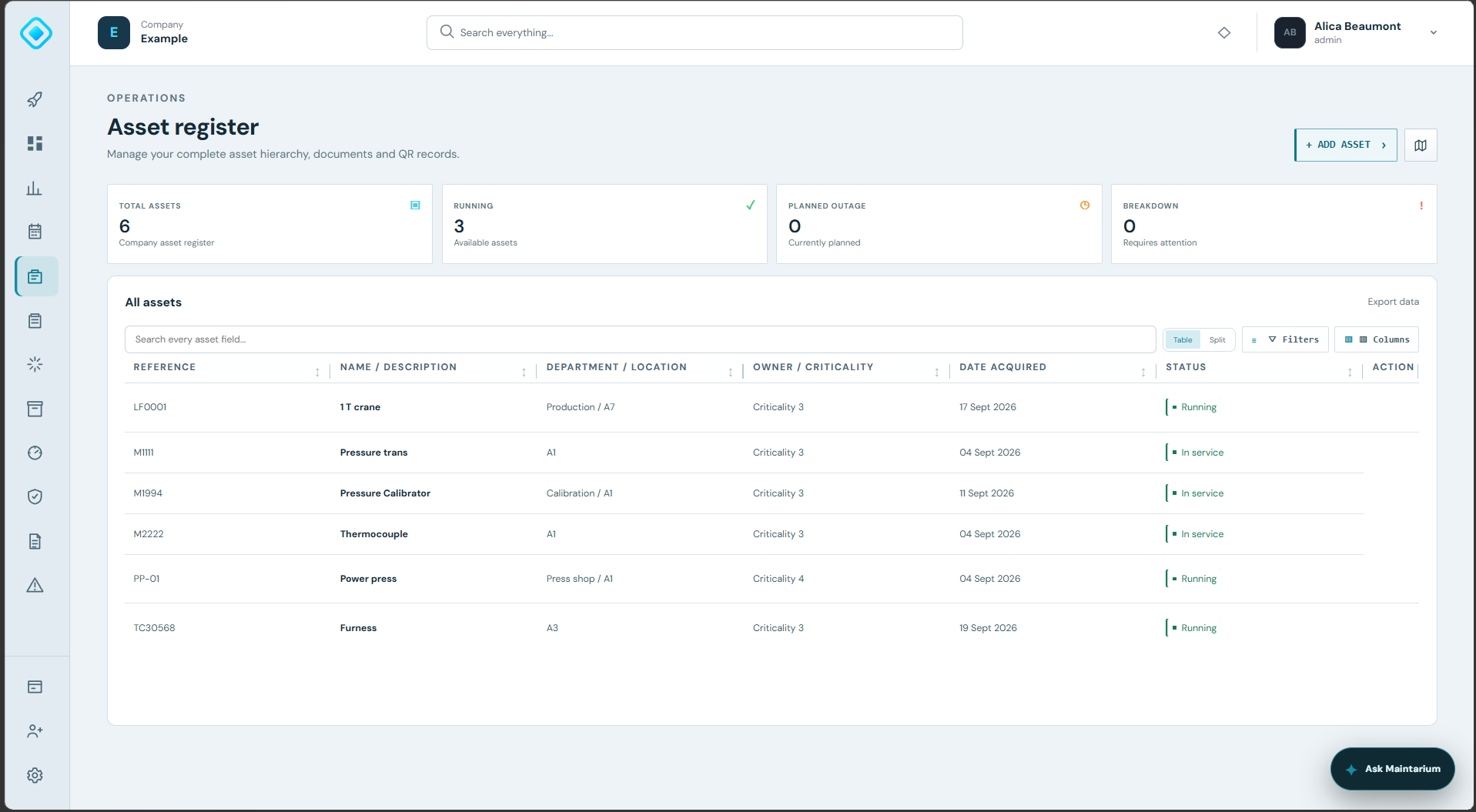
Search the complete record, filter columns and review condition, criticality, ownership and location across the installed base.
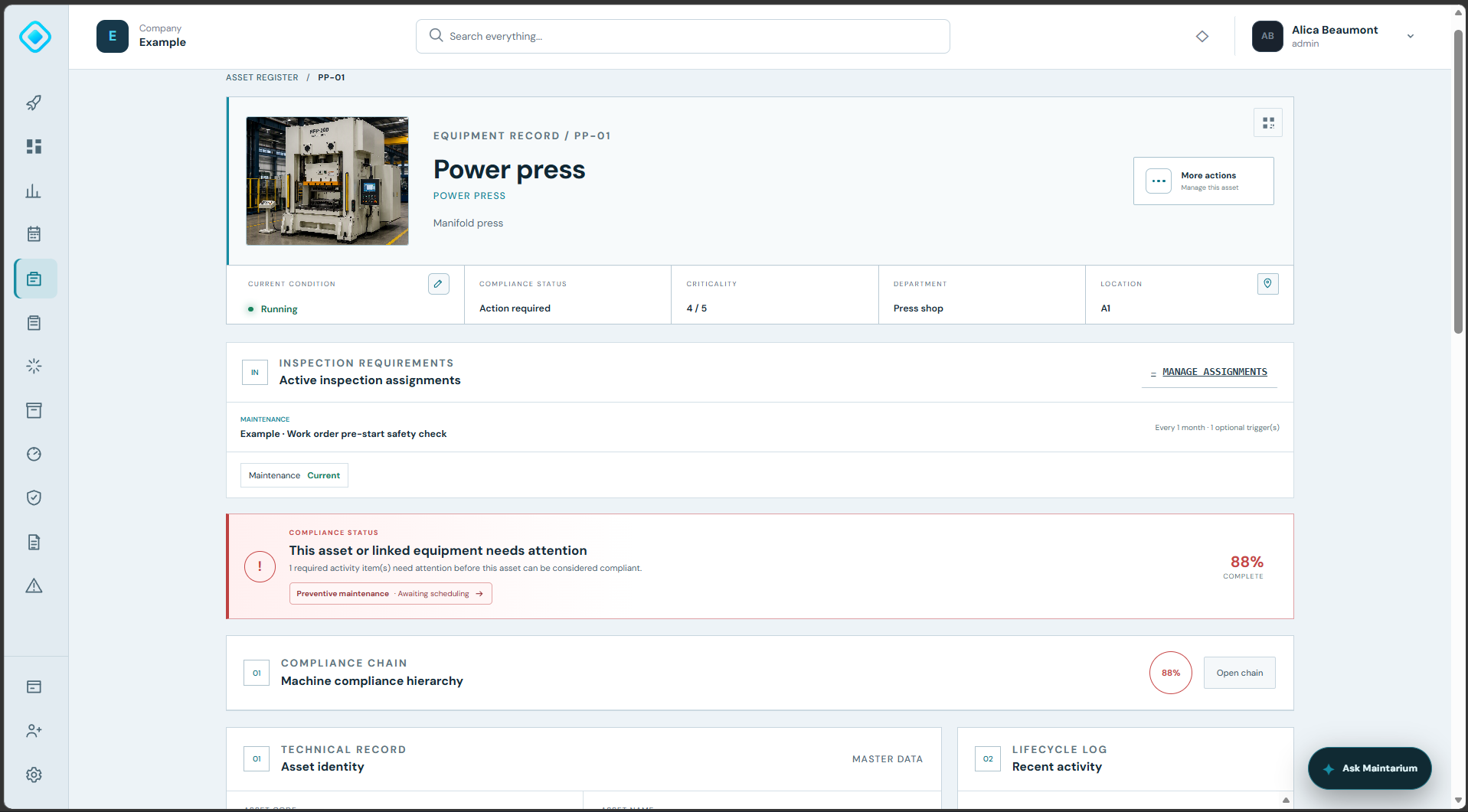
See identity, condition, criticality, inspection assignments and current compliance before opening the detailed records.
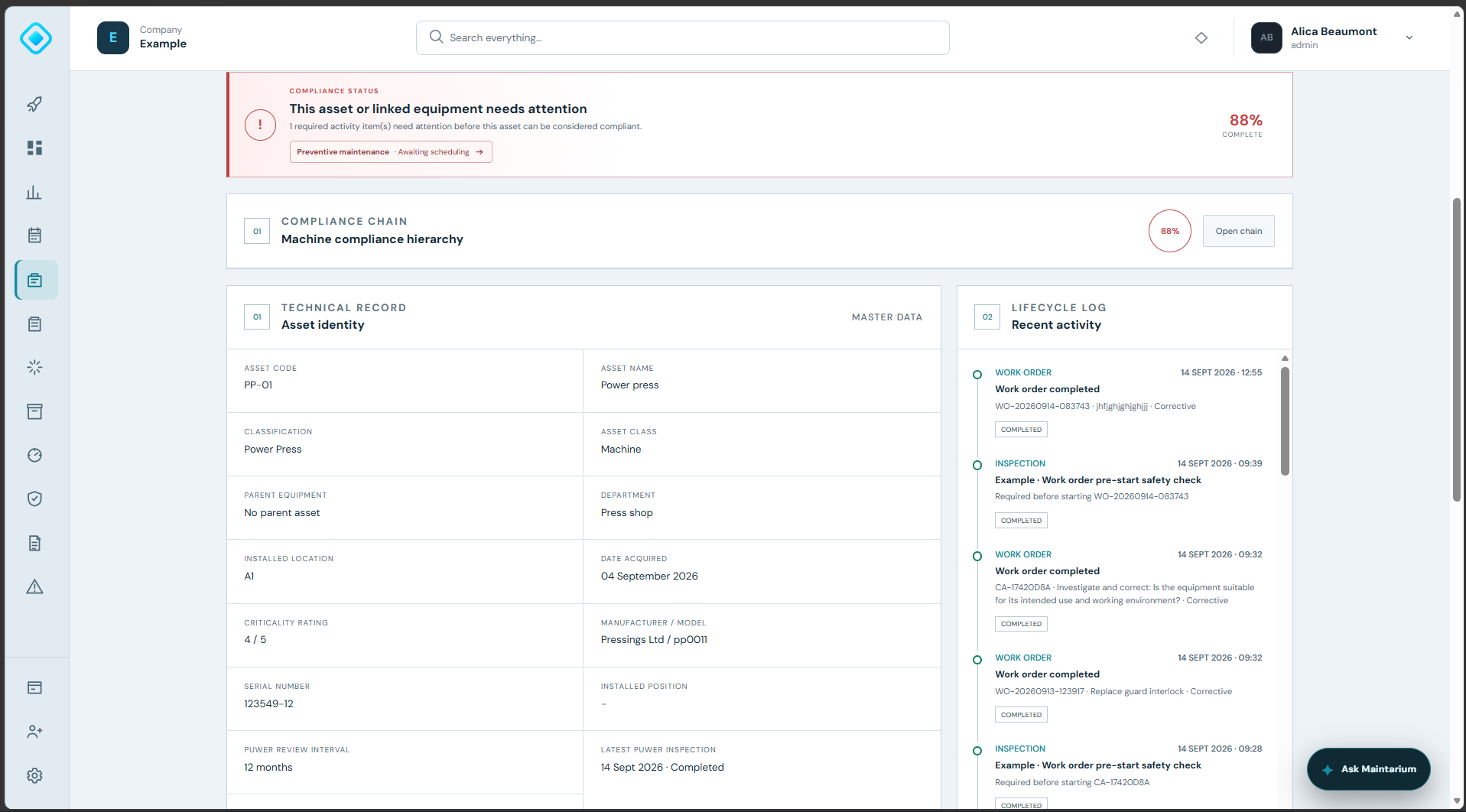
Keep master data beside the work, inspections and other events that explain how the equipment reached its current state.
Each capability contributes to the same connected asset and compliance record.
Record identity, classification, manufacturer, model, serial number, dates, location and installed position.
Connect machines to components and calibration instruments while keeping each item independently traceable.
See the contribution of linked equipment and obligations to the parent machine's current compliance state.
Review work, inspections, calibration and controlled changes in chronological order.
Attach technical files and equipment images to the asset profile.
Position assets on a site layout and use QR-linked records to reach the correct equipment profile.
Create the asset and define its operational context.
Build the equipment hierarchy and attach records.
Manage work and compliance from the asset.
Use current status and lifecycle evidence to make informed decisions.
Yes. Instruments and components retain their own identity and history while contributing to the parent equipment hierarchy and compliance chain.
Yes. The register and asset picker support operational fields such as name, serial number and location.
Yes. Work orders, planned maintenance, inspections, calibration and controlled changes are connected to the asset lifecycle.
Start free with 20 assets, 1 manager and 5 operational users. No expiry and no card required.
Create your workspace