COMPUTERISED MAINTENANCE MANAGEMENT SYSTEM
Run maintenance work and compliance evidence in one CMMS.
Maintarium Pro gives UK engineering teams a connected view of assets, reactive work, planned maintenance, inventory, inspections, PUWER, calibration and risk.
No card requiredFree forever · 20 assetsAsset import support
NOW ON GOOGLE PLAYYour maintenance team.
Your maintenance team.
Connected at the asset.
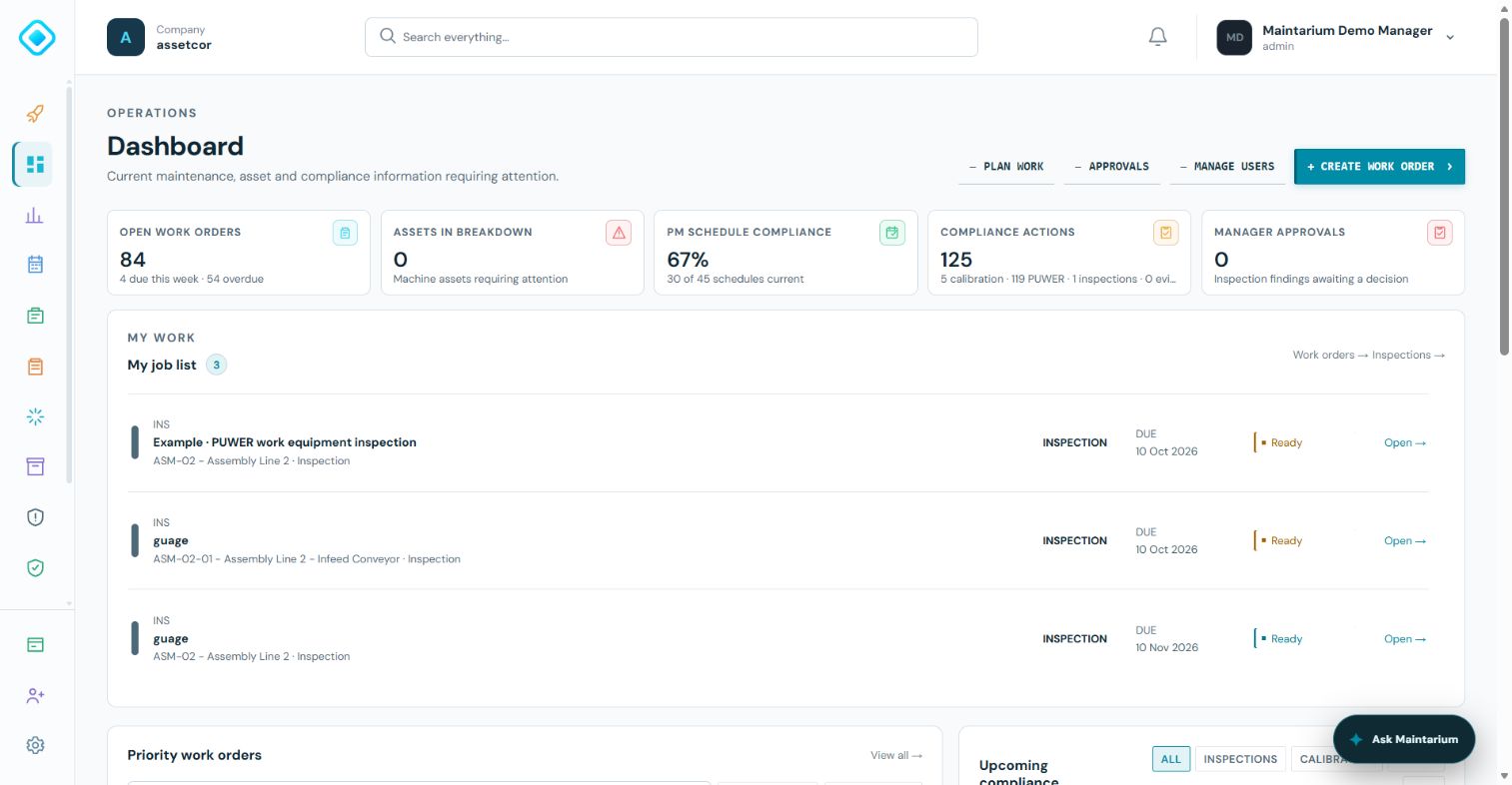
Complete assigned inspections, record findings and access equipment through its QR label with Maintarium Pro for Android. Your mobile activity stays connected to the same company and asset records.
Uses your Maintarium account. Internet connection required.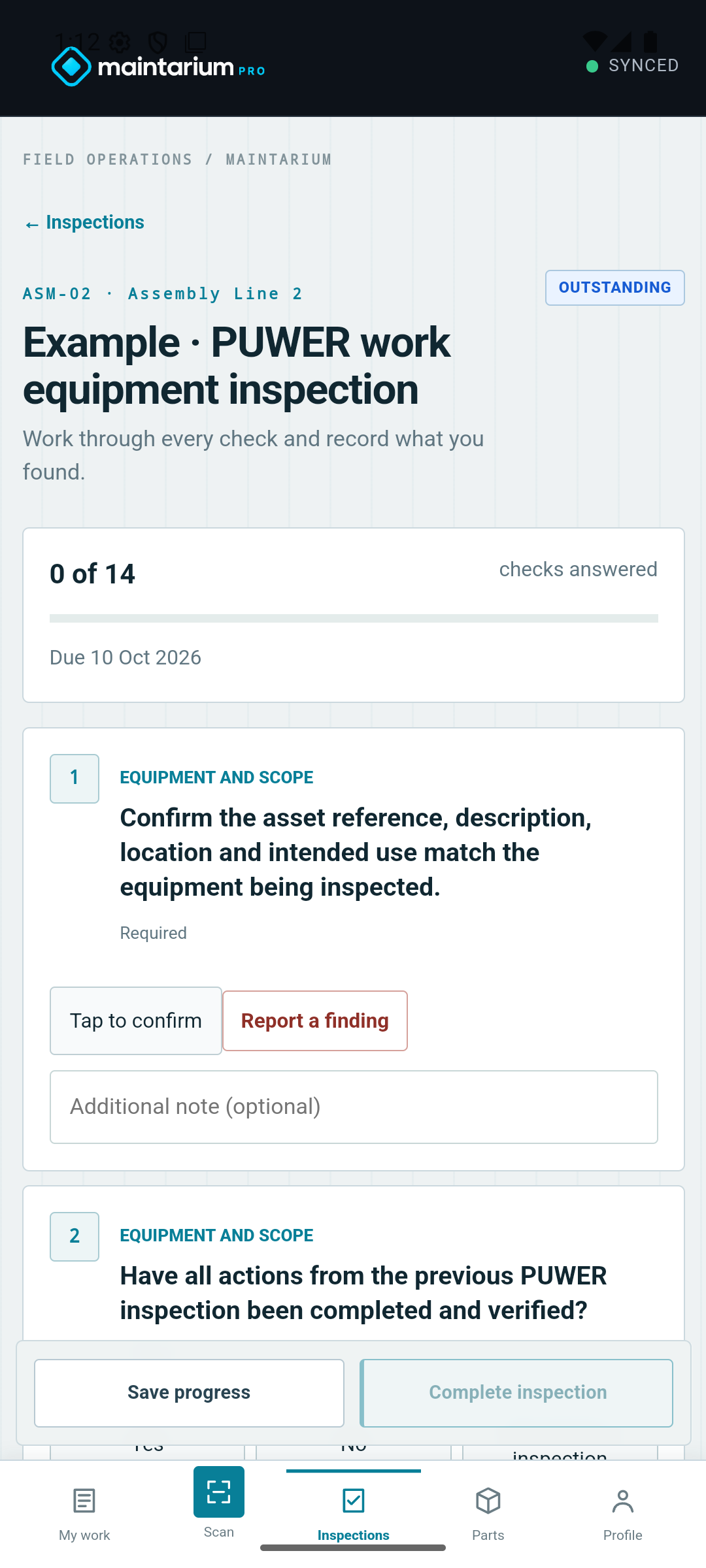
A CMMS YOUR TEAM CAN ACTUALLY ADOPT
Move beyond spreadsheets without losing the way your operation works.
Use one connected record for day-to-day maintenance and the inspection, calibration and PUWER evidence that sits behind it.
THE COMPLETE OPERATING SYSTEM
Feature depth for maintenance, engineering and compliance.
Maintarium is not a thin work-order app. The modules below work from the same company, people and equipment structure.
Equipment & lifecycle
- Structured asset register
- Machine and component hierarchy
- Condition and criticality
- Documents, images and site map
- QR-linked equipment records
- Chronological lifecycle history
Maintenance execution
- Reactive and corrective work
- Request routing and triage
- Teams, owners and participants
- Priority and target dates
- Parts, labour and downtime
- Completion and sign-off history
Preventive maintenance
- Time and meter schedules
- Runtime and cycle triggers
- Reusable PM job sheets
- Pre-work safety controls
- Maintenance calendar
- Schedule-health reporting
Compliance workflows
- Inspections and corrective actions
- PUWER assessments and findings
- Risk assessments and reviews
- Calibration and certificates
- Competence and permissions
- Reporting and data export
REAL PRODUCT SCREENS
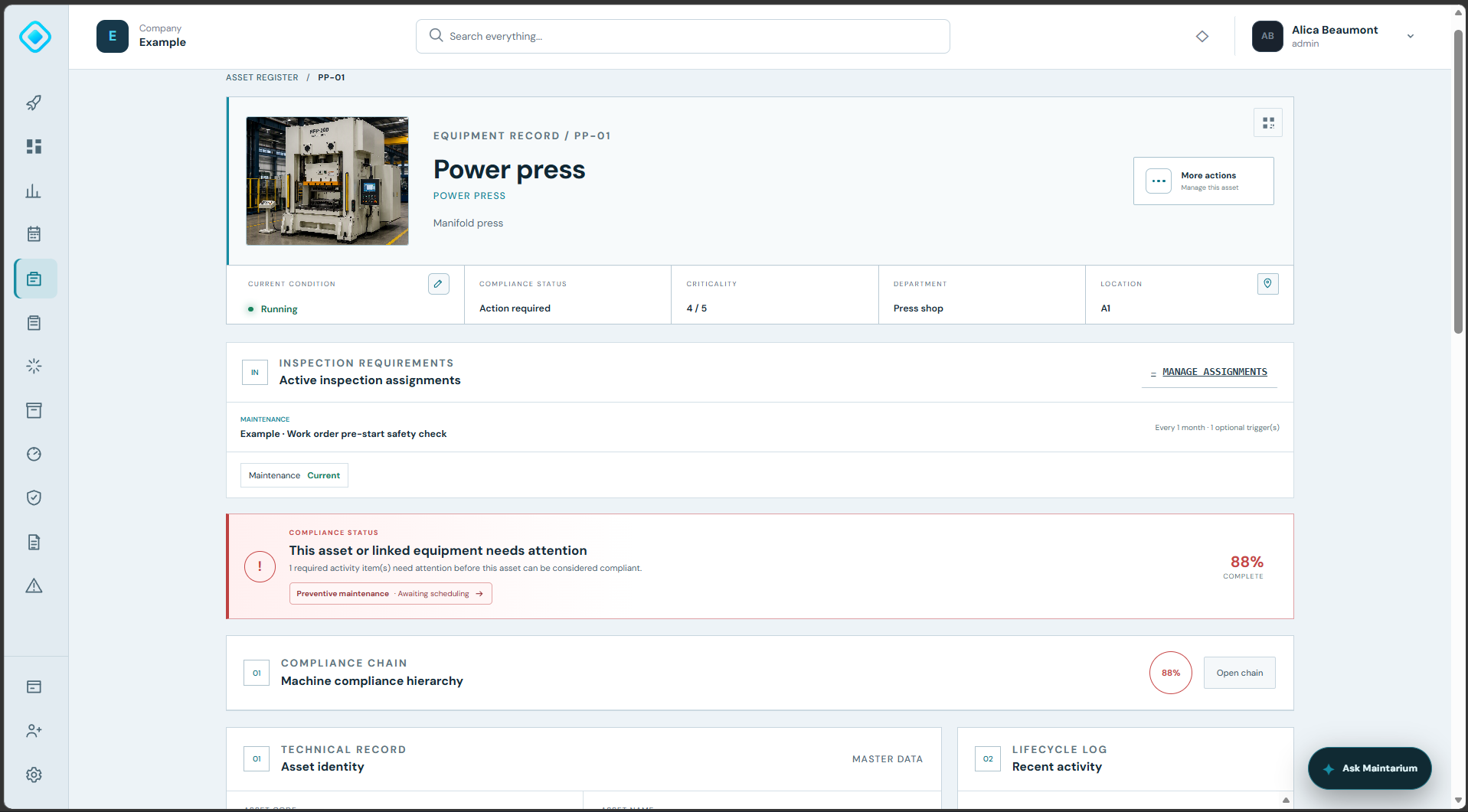
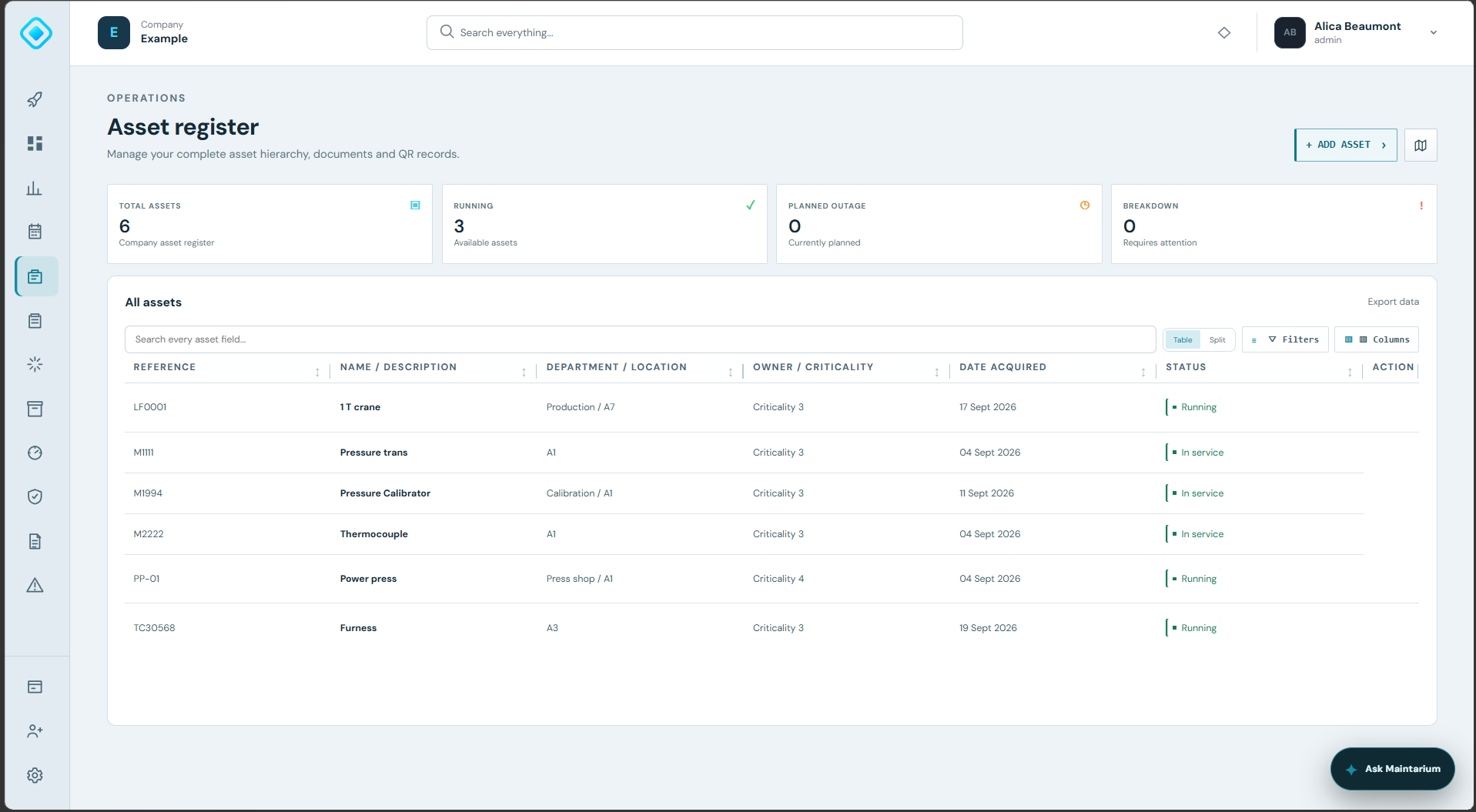
Every job connected to the equipment it protects.
See the asset's current state, route accountable work and return to a searchable equipment register without losing the history.
WHY IT MATTERS
Maintenance software should explain the whole asset story.
Day-to-day work and controlled compliance records belong together. Maintarium makes current priorities clear and retains the evidence managers, customers and auditors need.
Control the work
Prioritise, assign, claim and complete work orders with an accountable history.
Plan ahead
Turn maintenance strategies into recurring schedules and technician-ready job sheets.
Connect compliance
Keep inspection, PUWER, calibration and risk evidence attached to the equipment it concerns.
See what needs attention
Use dashboards, alerts and asset-level status to find overdue or outstanding activity.
INSIDE THE SOFTWARE
See the connected maintenance workspace
Use the dashboard to prioritise work, then move into structured work orders, reports, schedules and asset records.
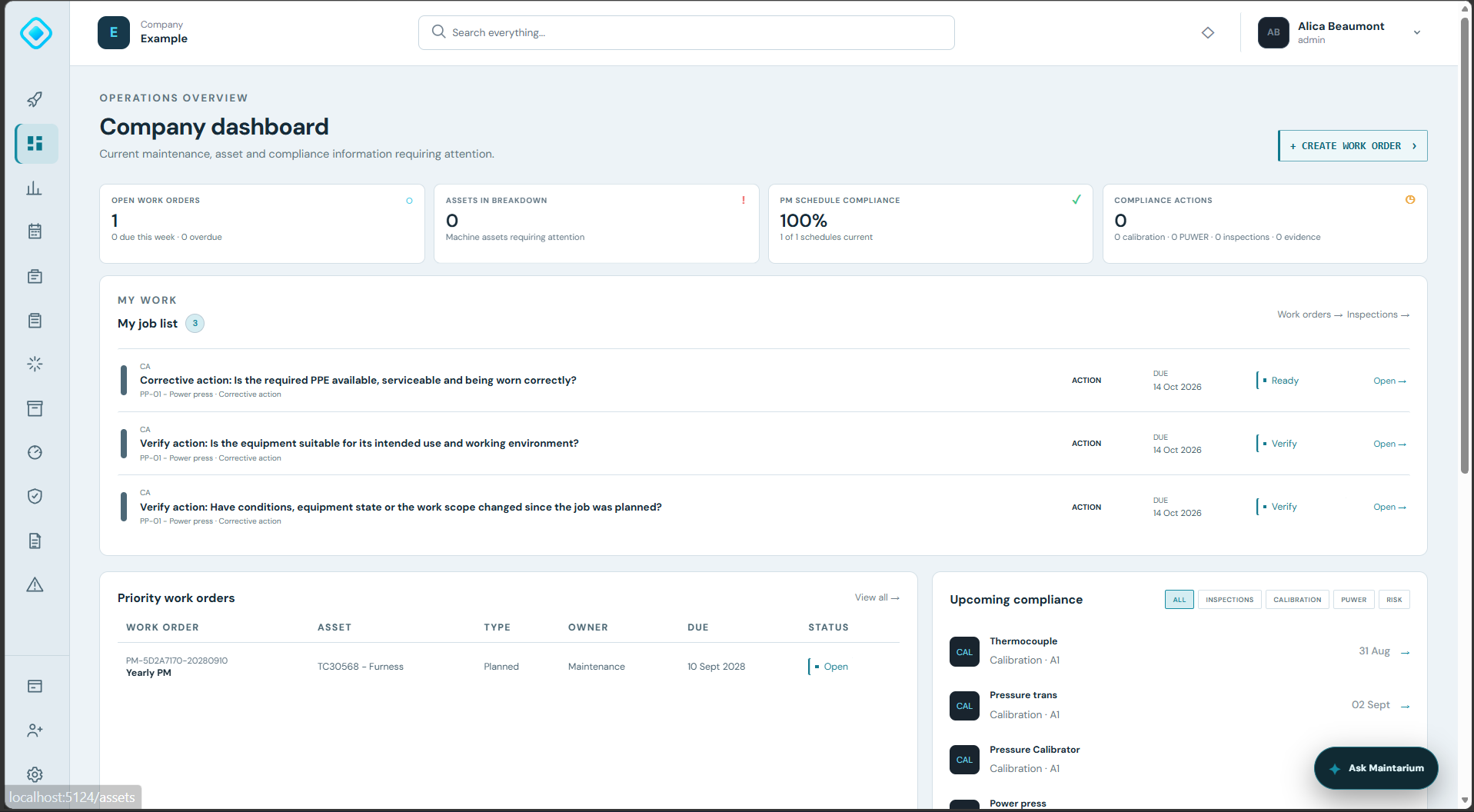
A dashboard built around action
See open work, breakdowns, schedule performance, compliance actions, personal assignments and upcoming obligations in one place.
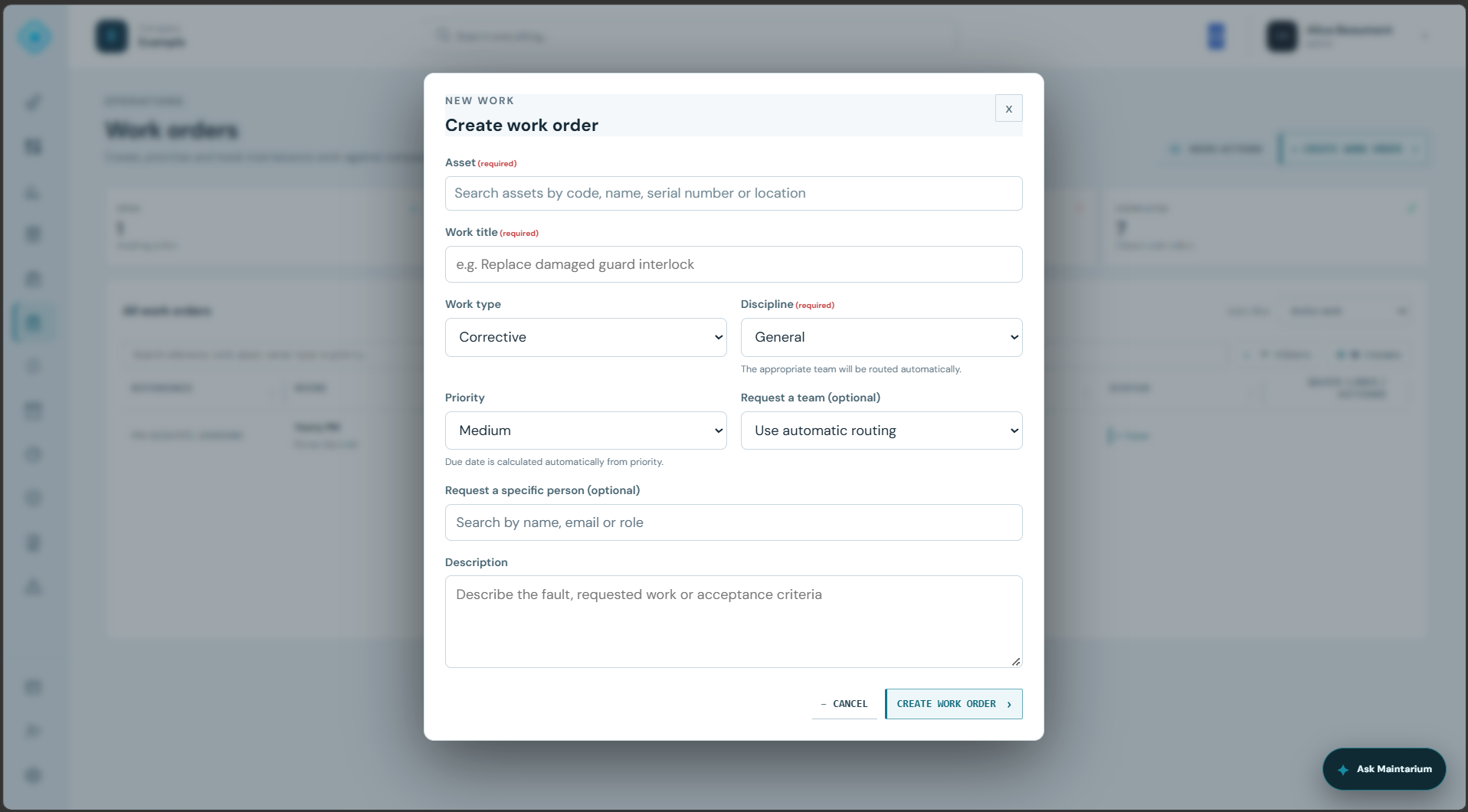
Structured work-order creation
Choose the asset, discipline, priority, team or individual, then give the work a clear description and acceptance context.
The complete equipment context
Return every job to the asset profile where condition, requirements, compliance and lifecycle evidence stay connected.
FEATURES
What the CMMS module covers
Each capability contributes to the same connected asset and compliance record.
Operational dashboard
See open work, breakdown assets, PM compliance, compliance actions, personal work and upcoming obligations.
Work orders
Create, prioritise, route, assign, participate in and sign off maintenance work.
Planned maintenance
Schedule recurring tasks and attach controlled reusable or asset-specific job sheets.
Asset management
Maintain equipment identity, hierarchy, condition, documents, site location and lifecycle history.
Inventory
Book parts and consumables to work and retain usage against the work order.
Compliance modules
Manage inspections, PUWER, risk assessments, calibration and their corrective actions.
Reporting
Configure operational charts and review work-order, downtime and compliance trends.
Guided training
Use in-product walkthroughs that take users to the correct screen and highlight each action.
From maintenance activity to reliable evidence
- 01Register
Build the equipment structure and define what each item requires.
- 02Plan
Set maintenance, inspection and calibration obligations.
- 03Execute
Give users clear work and capture completion evidence.
- 04Evidence
Retrieve the lifecycle record and demonstrate control.
SPREADSHEET OR CMMS?
The difference is what happens between the rows.
A spreadsheet can hold a list. Maintarium controls the ownership, permissions, evidence and connected history around every record.
Operational needSpreadsheetMaintarium Pro
Current work statusManually updatedDriven by workflow activity
Accountable ownershipOften held elsewhereUser or team assignment
Recurring maintenanceDates and formulasSchedules generate controlled work
Compliance evidenceFiles in separate locationsConnected to asset and outcome
ReportingRebuilt from exported dataConfigurable live charts
Permissions and historyFile-level accessRole-aware actions and audit history
IMPLEMENT WITHOUT THE BIG-BANG RISK
Prove Maintarium with real work on the Free plan.
Use a representative group of assets and people, validate the workflow and then expand from evidence—not promises.
- 01Bring the register
Import existing asset data or create the first equipment records directly.
- 02Configure responsibility
Add managers, operational users and unlimited viewers/requesters, then set permissions and teams.
- 03Run the scenarios
Test a reactive job, a PM task and the compliance process that matters most.
- 04Review the evidence
Inspect the asset history, reports, completed records and outstanding actions.
WHAT BUYERS NEED TO KNOW
Clear commercial and data expectations.
Assets, maintenance, inventory, inspections, PUWER, risk, calibration, dashboards and export are part of the core platform.
Free includes 20 assets, 1 manager and 5 operational users. Standard provides 500 assets, 2 managers and 15 operational users for £60 per company/month.
Authenticated company access is tenant scoped, with role-aware permissions for controlled actions.
Use built-in exports and discuss wider migration, due-diligence or account-closure requirements with us.
COMMON QUESTIONS
CMMS software FAQs
What does CMMS mean?
CMMS means computerised maintenance management system. It provides a structured place to manage equipment, maintenance schedules, work orders, parts and history.
Is Maintarium only for planned maintenance?
No. Maintarium supports reactive and corrective work alongside recurring preventive maintenance, with connected inspection and compliance records.
Can maintenance and compliance teams use the same asset record?
Yes. The asset profile connects operational work with inspection, PUWER, risk and calibration evidence so each team works from the same equipment context.
Build a maintenance record your team can trust.
Start free with 20 assets, 1 manager and 5 operational users. No expiry and no card required.
Create your workspace