Know what is due
See instruments, next calibration dates, overdue work, compliance status and master-standard actions from one register.
Maintarium Pro connects the calibration register to each instrument's identity, tolerances, reference standards, procedures, results, approvals and downloadable evidence.
Due dates matter, but audit readiness also depends on measurement evidence, controlled methods, traceable standards, review decisions and a retrievable history. Maintarium keeps those records together.
See instruments, next calibration dates, overdue work, compliance status and master-standard actions from one register.
Record readings, tolerances, adjustment, environmental conditions and the method used—not only a pass or fail label.
Link suitable in-calibration master instruments or approved external laboratories and their certificate references.
Capture limited-use and out-of-tolerance decisions, affected product, containment, impact and final disposition.
These are real Maintarium Pro screens showing the views used to plan, perform and evidence calibration work.
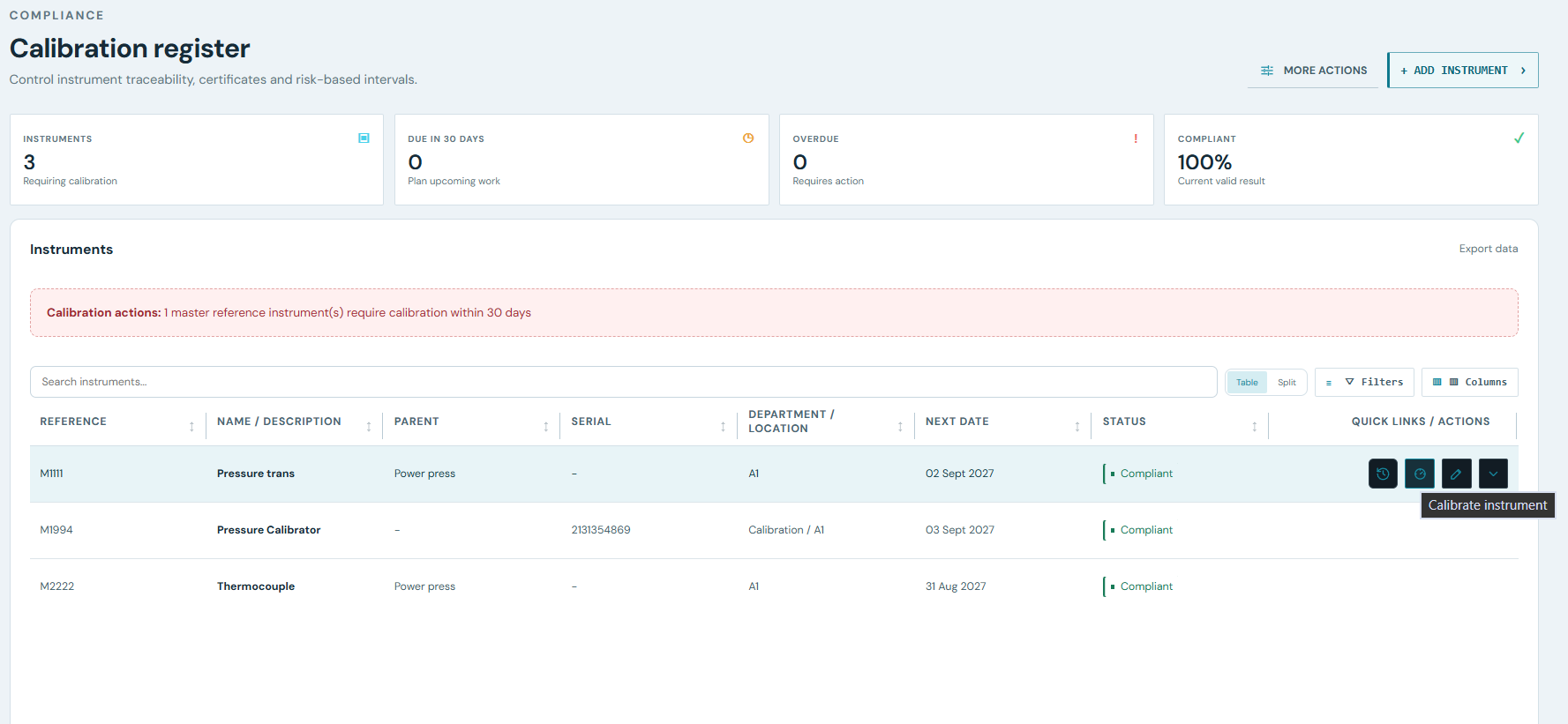
Search instruments, review due and overdue counts, see current conformity, and act on reference standards approaching their own calibration date.
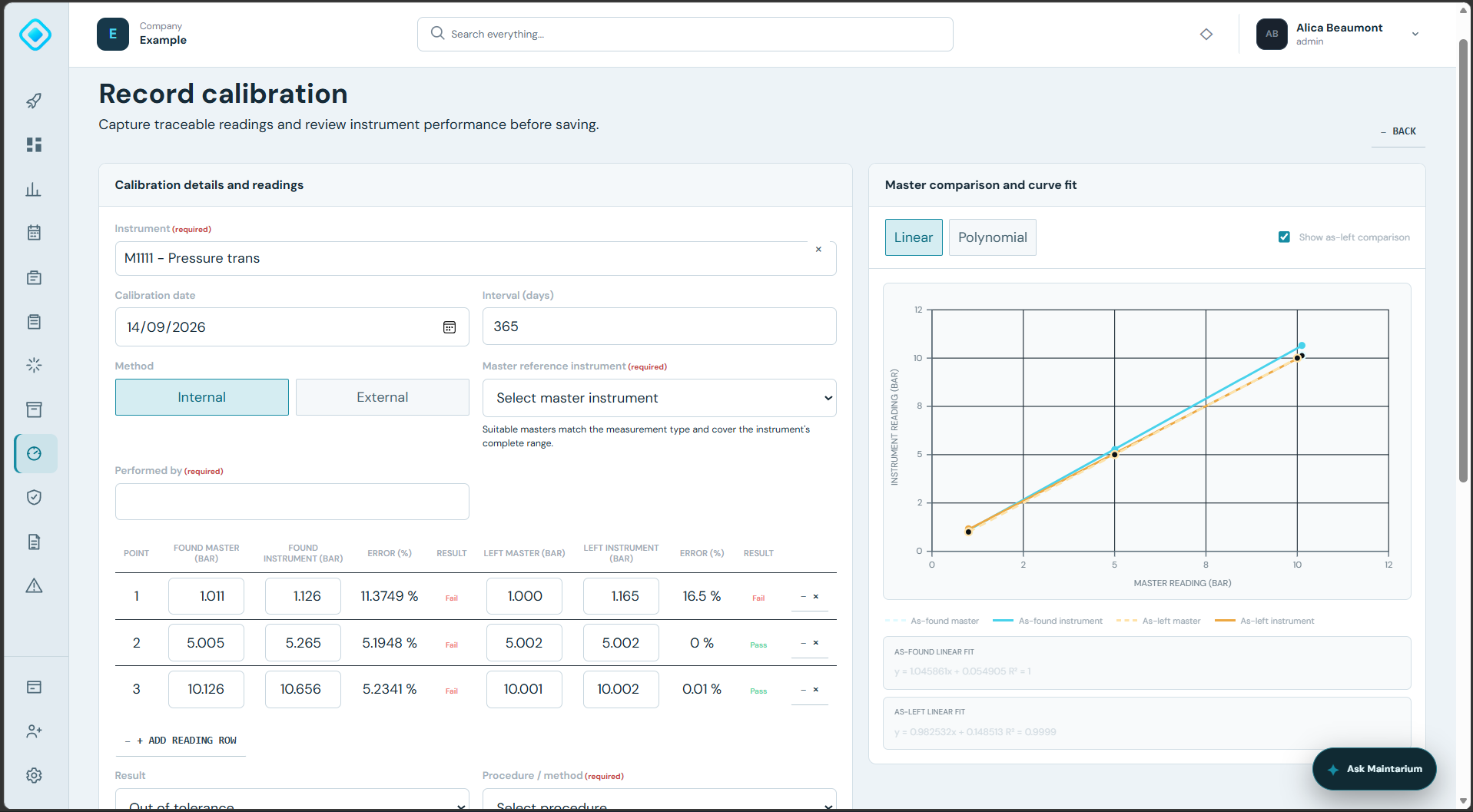
Enter master and instrument values independently, compare before and after adjustment, and review point-level tolerance results beside the response curve.
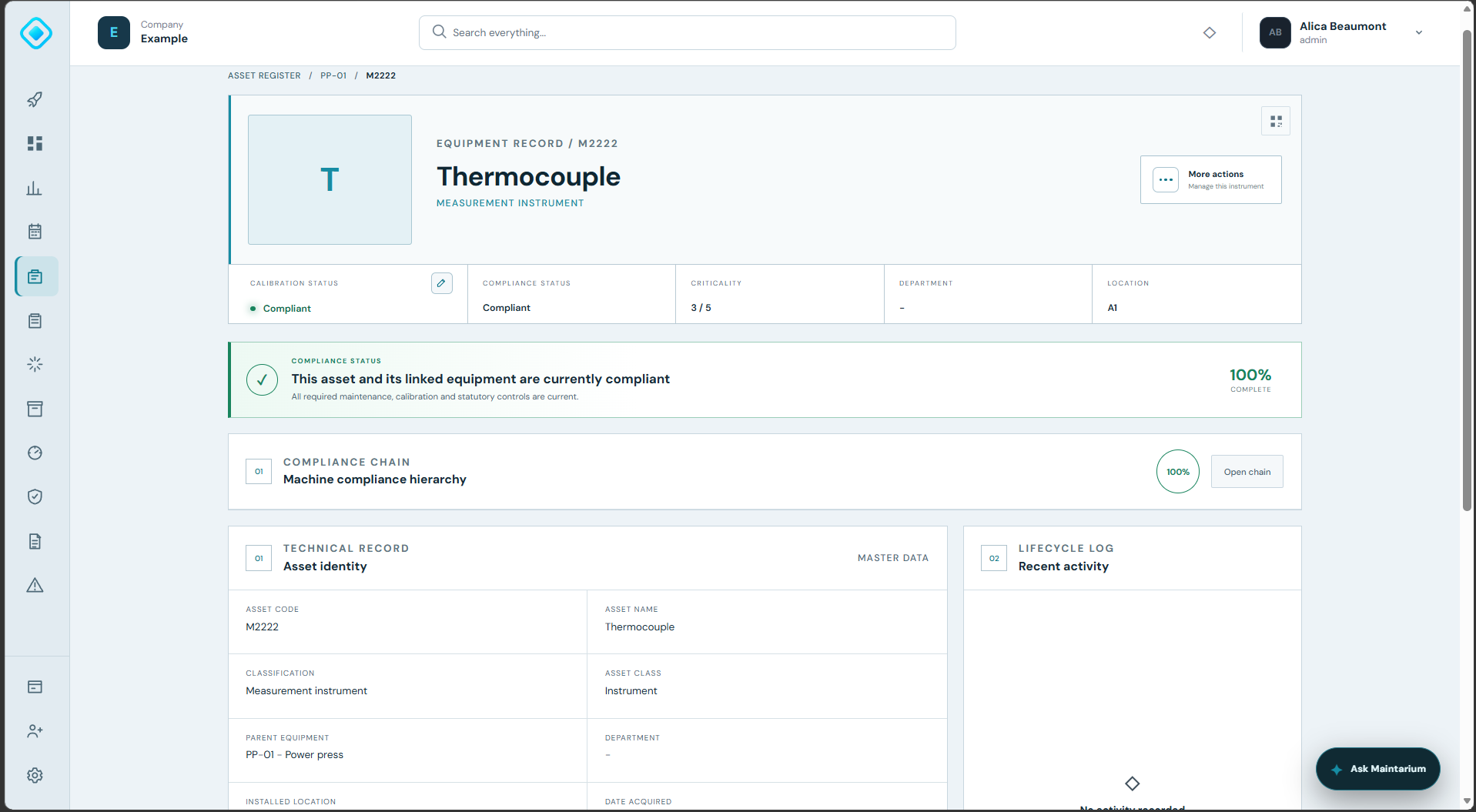
Keep calibration status, parent equipment, location, criticality and lifecycle history together so the wider compliance chain remains visible.
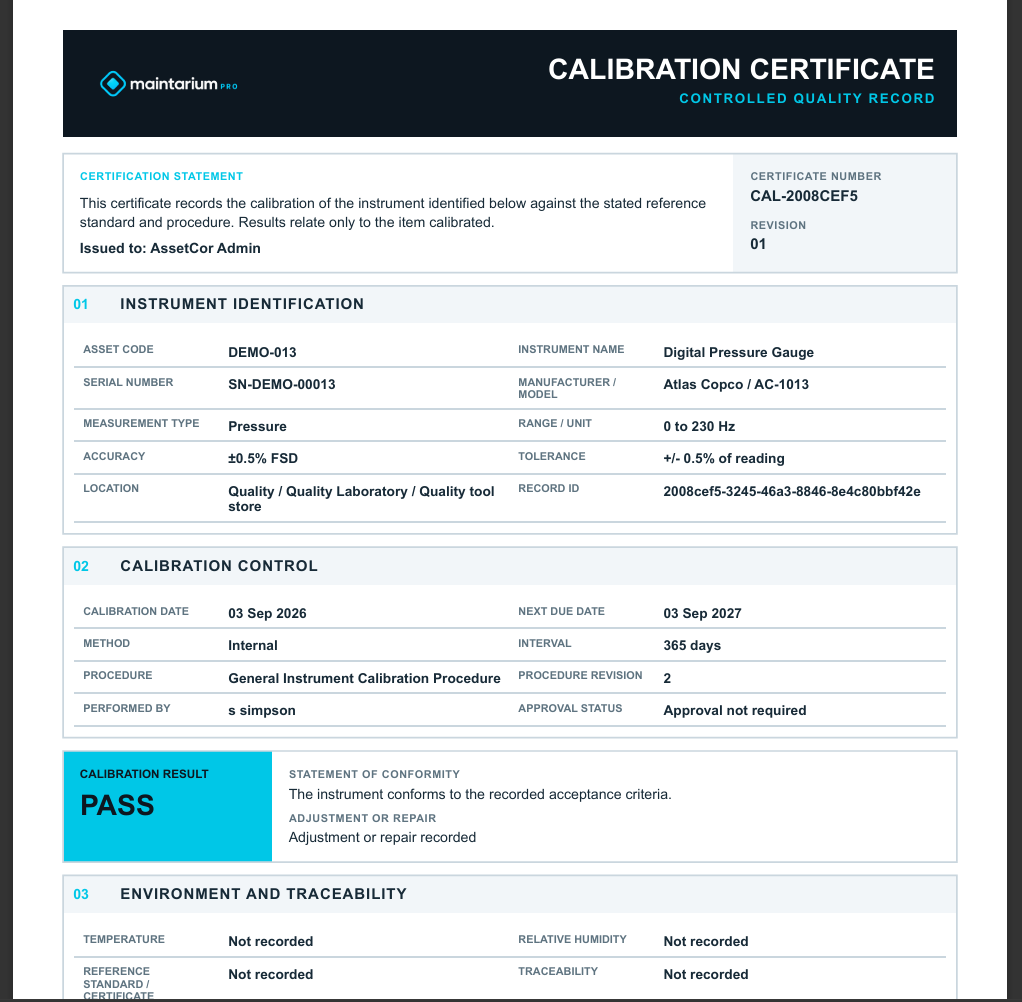
Download a consistent certificate containing instrument identity, method, procedure revision, result, environment, traceability, readings and authorisation details.
Each capability contributes to the same connected asset and compliance record.
Record asset code, serial number, manufacturer, model, measurement type, engineering unit, range, accuracy, tolerance mode and calibration interval.
Set the interval and next due date for each instrument so the register reflects its own calibration requirement.
Select a suitable master, enter independent master and instrument readings, and compare as-found with as-left performance.
Calculate deviation at each point and show pass or fail against absolute, percentage-of-reading or percentage-of-full-scale tolerances.
Plot the master comparison and switch between linear and polynomial views to inspect instrument response.
Register approved laboratories, their qualification route, scope and validity, then retain the supplied PDF certificate.
Upload calibration procedures with revision control and preserve the applied revision on the calibration record.
Optionally route new records to a named person or team and hold them pending until authorised.
Document affected products or periods, impact assessment, containment action and final disposition.
Generate controlled internal certificates and retrieve internal or supplier certificates from the instrument history.
Create the instrument, define its measurement range and tolerance, and set the calibration interval.
Use the internal readings workflow or capture an approved external calibration certificate.
Assess tolerance, adjustment, uncertainty and any product impact before approval.
Open the instrument history and download the controlled certificate whenever evidence is required.
Yes. Internal calibration supports master comparison readings and procedures; external calibration records the approved laboratory, certificate reference, result and uploaded PDF.
An out-of-tolerance result opens fields for the affected product or period, impact assessment, containment action and final disposition, preserving the decision with the calibration record.
Yes. Approval can be enabled at company level and assigned to a team or individual. New records remain pending until the configured reviewer approves them.
Maintarium generates a controlled certificate for internal records and retains the calibration-house PDF for external records. Both remain accessible from the instrument history.
Start free with 20 assets, 1 manager and 5 operational users. No expiry and no card required.
Create your workspace